Cover Letter Generator: How to Create a Professional Cover Letter
A strong resume can show employers your experience, skills, and qualifications, but a well-written cover letter can add valuable context to your job application. It gives you an opportunity to explain why you are interested in a position, highlight your most relevant experience, and show how your background connects with the employer's needs.
.
Writing a personalized cover letter for every job application can take time. This is where a Cover Letter Generator can make the process easier.
A cover letter generator can help you create a structured starting point for your application and organize your professional information into a clear and professional letter. With the right approach, you can save time while still creating a cover letter that feels relevant and personalized.
In this guide, you'll learn what a Cover Letter Generator is, how to use one effectively, what information you should include, and how to avoid common cover letter mistakes.
What Is a Cover Letter Generator?
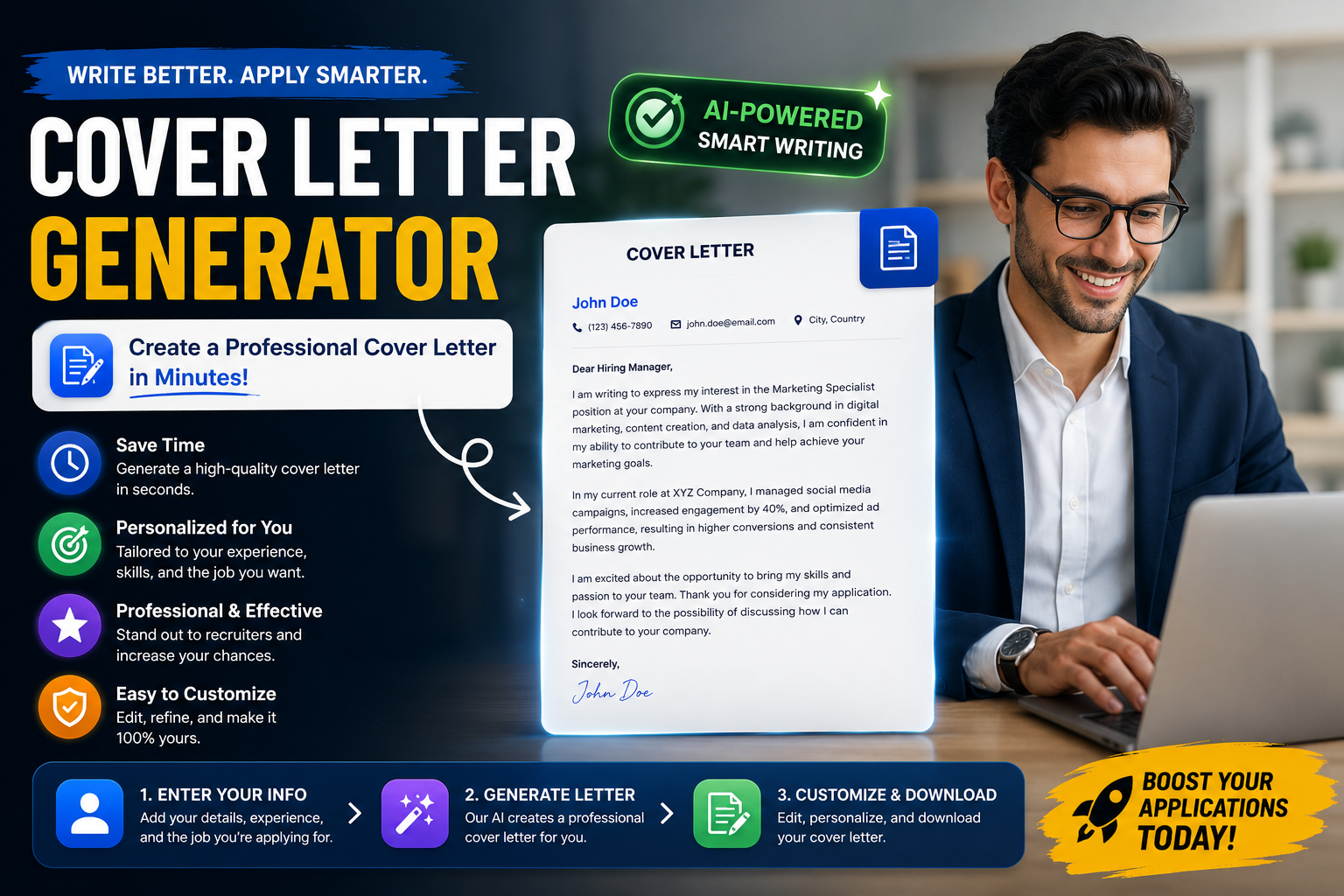
A Cover Letter Generator is a tool designed to help job seekers create a cover letter based on information about their professional background and the position they want to apply for.
Instead of starting with a completely blank page, a cover letter generator provides a structured starting point that you can review, edit, and customize.
A modern AI cover letter generator can help organize information such as:
- Your professional experience
- Your skills
- Your education
- The position you are applying for
- Your relevant achievements
- Your interest in the company or role
The goal is not to create a generic letter that you send to every employer. The best approach is to use generated content as a starting point and personalize it for the specific position.
Why Use a Cover Letter Generator?
Writing a cover letter from scratch can be difficult, particularly when you are applying for several jobs at the same time.
You may know what you want to say but struggle with questions such as:
- How should I start my cover letter?
- What information should I include?
- How long should my cover letter be?
- How should I explain my experience?
- How can I make it relevant to the job?
- What should I write in the closing paragraph?
A cover letter generator can provide a structured starting point and help you organize your ideas into a professional format.
This can be especially useful if you are creating your first cover letter or need to prepare applications for multiple positions.
What Should a Professional Cover Letter Include?
A professional cover letter should be focused on the position you are applying for rather than simply repeating everything written on your resume.
A typical job application cover letter can include several important elements.
Contact Information
Depending on the application format and employer requirements, your letter may include your name and relevant contact information.
Make sure the information is accurate and consistent with the details on your resume.
Professional Greeting
Whenever possible, address the appropriate hiring manager or recruiter by name.
If you do not know the person's name, use a professional and neutral greeting rather than an overly casual opening.
Opening Paragraph
The opening should quickly explain which position you are applying for and why you are interested in the opportunity.
Avoid generic openings that could apply to any company.
Instead, make the first paragraph relevant to the position and demonstrate genuine interest in the opportunity.
Relevant Experience and Skills
The main part of your cover letter should explain why your background is relevant to the position.
Choose one or two areas of experience that directly connect with the job requirements.
For example, instead of simply saying:
I have excellent communication skills.
You could explain how you have used those skills:
In my previous customer service role, I communicated with a high volume of customers daily, resolved account issues, and worked closely with internal teams to improve the customer experience.
The second example provides context and shows how the skill was applied in a real situation.
Closing Paragraph
Your closing should briefly reinforce your interest in the position and thank the employer for considering your application.
Keep the ending professional and confident without making unrealistic claims.
How to Use an AI Cover Letter Generator
An AI cover letter generator can help you create a first draft, but the quality of the result depends heavily on the information you provide.
Before generating your letter, collect the most important information about yourself and the position.
1. Start With Your Resume
Your resume contains valuable information that can help you create a relevant cover letter.
Identify your:
- Current or previous job titles
- Years of experience
- Relevant skills
- Professional achievements
- Education
- Certifications
- Projects
Focus on the experience that is most relevant to the position rather than including every detail from your career history.
If you still need to create or update your resume, you can use the JovoJob Resume Builder to create a structured resume before preparing your cover letter.
2. Read the Job Description
Before creating your cover letter, carefully read the job description.
Look for information about:
- Main responsibilities
- Required skills
- Preferred qualifications
- Experience requirements
- Tools and technologies
- Company priorities
This information can help you decide which parts of your background deserve the most attention.
3. Identify Relevant Keywords
Job descriptions often contain important skills, qualifications, tools, and industry terminology.
If those terms accurately describe your experience, you can incorporate them naturally into your cover letter.
The JovoJob ATS Keywords Tool can help you identify relevant keywords from a job description and use them as part of your broader application optimization process.
4. Provide Relevant Information
The more relevant information you provide, the easier it is to create a focused cover letter.
Instead of relying on generic statements, provide specific details about your experience and achievements.
For example, if you increased sales, managed a large number of customers, completed an important project, reduced costs, or improved a process, mention the result when appropriate.
5. Review and Personalize the Draft
Never assume that the first generated version is automatically the final version.
Read the entire letter and check whether it sounds like you.
Remove generic statements, correct inaccurate information, and add details that make the letter specific to the company and position.
How to Personalize a Cover Letter
One of the biggest differences between a generic cover letter and a strong application is personalization.
A personalized cover letter should answer an important question:
Why are you a relevant candidate for this specific position?
To make your letter more targeted, connect your experience to the employer's requirements.
For example, if the position requires experience managing online advertising campaigns, explain your relevant experience with platforms such as Google Ads or Meta Ads if you genuinely have that experience.
If the position requires customer relationship management, describe relevant experience with customers, CRM systems, account management, or client retention.
The objective is to create a connection between what the employer needs and what you can offer.
Cover Letter Generator vs. Writing From Scratch
Writing a cover letter manually gives you complete control over every sentence, but it can also take more time.
A cover letter maker provides a structured starting point and can help you organize your information more efficiently.
The two approaches do not have to be opposites.
You can use a generator to create an initial draft and then apply your own judgment to improve it.
This creates a practical workflow:
Generate → Review → Personalize → Edit → Submit
The final letter should accurately represent your real experience and your genuine interest in the position.
How Long Should a Cover Letter Be?
A cover letter should provide enough information to explain your relevance without becoming unnecessarily long.
Focus on the most important information rather than repeating your entire resume.
A useful structure is:
- Short introduction
- Relevant experience and skills
- Specific connection to the position
- Professional closing
Every paragraph should contribute something useful to your application.
Don't Repeat Your Resume Word for Word
Your cover letter and resume should support each other, but they should not be identical.
Your resume provides a structured overview of your professional background.
Your cover letter gives you an opportunity to provide context and explain why particular parts of your experience are relevant to the position.
For example, your resume might say:
Managed social media campaigns and created content for multiple platforms.
Your cover letter could expand on that experience:
In my previous role, I managed social media campaigns across multiple platforms and developed content strategies based on audience behavior and campaign performance.
This approach adds context instead of simply repeating the same sentence.
Use Relevant Keywords Naturally
Keywords can be useful in both resumes and cover letters when they accurately describe your experience.
If the job description mentions specific skills, tools, or responsibilities that you genuinely have experience with, you can reference them naturally in your letter.
For example, a digital marketing position may mention:
- SEO
- Content Marketing
- Google Analytics
- Paid Advertising
- Email Marketing
If these areas are part of your professional background, mentioning the relevant ones can make your cover letter more closely aligned with the position.
However, avoid forcing keywords into sentences simply because they appear in the job description. Your cover letter should remain natural and professional.
Common Cover Letter Mistakes to Avoid
Even a well-structured cover letter can become less effective if it contains common mistakes.
Before submitting your application, check for:
- Generic statements that could apply to any employer
- Incorrect company or job information
- Repeating your resume word for word
- Writing about yourself without connecting your experience to the position
- Including skills you do not actually have
- Using overly long paragraphs
- Spelling and grammar mistakes
- Using an unprofessional tone
- Failing to customize the letter for the position
- Making unrealistic claims
A cover letter should be accurate, relevant, and focused on the value you can bring to the position.
How a Cover Letter Can Support Your Resume
Your resume and cover letter should work together as part of the same application.
Your resume can provide the facts: your job history, education, skills, certifications, and achievements.
Your cover letter can provide context: why you are interested in the role, which experiences are most relevant, and why you believe your background matches the opportunity.
Using both documents strategically can create a more complete picture of your professional background.
Before writing your cover letter, you can also review your resume with the JovoJob Resume Analyzer to identify areas that may need improvement.
Create Your Cover Letter With JovoJob
If you want to create a professional cover letter without starting from a blank page, try the JovoJob Cover Letter Generator.
You can use a generated draft as a starting point and then review the content carefully before submitting your application.
Make sure the final version reflects your actual experience, the specific position you are applying for, and your genuine interest in the opportunity.
For the strongest application workflow, you can combine your cover letter with a well-structured resume created using the JovoJob Resume Builder.
After creating your resume, use the JovoJob Resume Analyzer to review your resume and identify potential areas for improvement.
You can then use the JovoJob ATS Keywords Tool to find relevant terminology from the job description and improve the alignment between your resume and the position.
A complete job application workflow can look like this:
Build Resume → Analyze Resume → Find ATS Keywords → Create Cover Letter → Apply
Cover Letter Checklist Before You Apply
Before sending your cover letter, ask yourself:
- Did I mention the correct job title?
- Did I address the correct company?
- Is the letter relevant to this specific position?
- Did I highlight my most relevant experience?
- Did I provide specific examples where possible?
- Does the letter complement rather than copy my resume?
- Are the skills and qualifications accurate?
- Did I use relevant terminology naturally?
- Is the writing clear and professional?
- Did I check the letter for spelling and grammar errors?
If you can answer yes to these questions, your cover letter is ready for a final review before submission.
Conclusion: Create a Cover Letter That Supports Your Application
A Cover Letter Generator can make the writing process faster and give you a structured starting point for your job application.
However, the strongest cover letters are not simply generated and submitted without review. They are personalized, accurate, relevant to the position, and focused on the experience that matters most to the employer.
Start with your real professional experience, study the job description, highlight your most relevant qualifications, and use the generated draft as a foundation that you can improve.
Ready to create your next cover letter? Try the JovoJob Cover Letter Generator and create a professional starting point for your next job application.
Once your cover letter is ready, make sure your resume is also optimized. You can build or update it with the JovoJob Resume Builder, analyze it with the JovoJob Resume Analyzer, and identify relevant job-specific keywords with the JovoJob ATS Keywords Tool.
Advertisement
Google AdSense space reserved for this article.