Sending a resume to a company does not always mean a recruiter will immediately read it. Many employers use an Applicant Tracking System (ATS) to collect, organize, and search through applications before recruiters review candidates.
An ATS can search resumes for keywords and qualifications related to a job posting. Formatting can also affect how information is interpreted by automated systems. This is why creating an ATS-friendly resume is an important part of a modern job search.
The good news is that creating an ATS-friendly resume does not require a complicated design. In many cases, a clear structure, relevant keywords, and simple formatting are more useful than an overly creative layout.
If you are building a new resume, you can start with the JovoJob Resume Builder and then use the guidelines below to make your resume easier to read and optimize.
What Is an ATS-Friendly Resume?
An ATS-friendly resume is a resume formatted and written in a way that makes its information easier for Applicant Tracking Systems to process.
ATS software can help employers collect resumes, organize applications, and search for keywords that match job requirements. According to the U.S. Department of Labor's 2026 Resume Essentials guide, employers can configure ATS software to search resumes for specific skills and qualifications from job postings.
This means your resume should clearly communicate:
- Your professional experience
- Your job titles
- Your skills
- Your education
- Your qualifications
- Your relevant achievements
- Keywords related to the position
An ATS-friendly resume is therefore not simply about using a particular template. It is about making your information clear, relevant, and easy to process.
Why Is an ATS-Friendly Resume Important?
Imagine a company receives hundreds of applications for a single position. Reviewing every resume manually can be time-consuming.
An Applicant Tracking System can help organize those applications and identify resumes containing relevant qualifications and keywords.
If your resume uses terminology that matches the job description, your relevant qualifications may be easier for the system and recruiter to identify.
However, an ATS is not the only audience you should consider.
Your resume ultimately needs to communicate your value to a human recruiter or hiring manager. That means your resume should be both ATS-friendly and human-readable.
Use Keywords From the Job Description
One of the most important parts of an ATS resume is using relevant keywords.
Start by reading the job description carefully. Look for:
- Required skills
- Preferred skills
- Software and tools
- Certifications
- Job titles
- Industry terminology
- Educational requirements
- Technical qualifications
For example, if a job description specifically asks for:
Search Engine Optimization (SEO), Google Analytics, content marketing, and keyword research
and you genuinely have those skills, use the same terminology naturally in your resume.
The U.S. Department of Labor recommends using keywords and phrases from the job posting in achievement statements rather than relying only on a separate skills section.
Don't Stuff Your Resume With Keywords
Using keywords does not mean repeating the same phrase dozens of times.
Keyword stuffing can make a resume difficult to read and may make your application look unnatural.
Instead, incorporate relevant keywords into your:
- Professional summary
- Work experience
- Achievements
- Skills
- Projects
Only include skills and qualifications that genuinely describe your experience.
Choose a Simple ATS Resume Format
The best ATS resume format is usually simple and easy to follow.
Use clear sections such as..
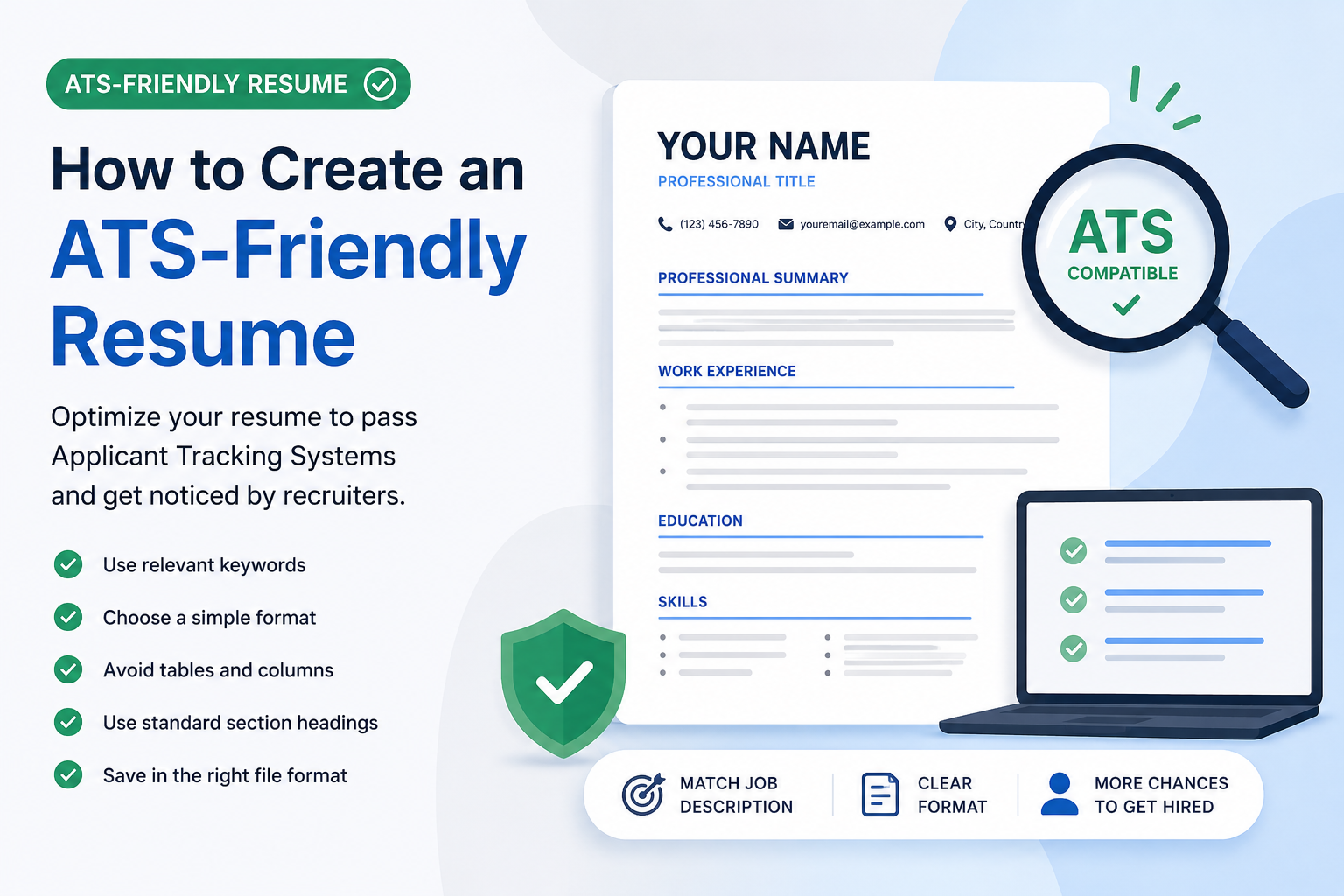
Professional Summary
Briefly describe your professional background and the value you bring.
Work Experience
List relevant positions with job titles, employers, dates, and achievement-focused bullet points.
Education
Include your degree, institution, and relevant dates or qualifications.
Skills
List relevant technical and professional skills that match the position.
Certifications
Add relevant professional certifications when applicable.
A chronological or combination resume format can be easier for ATS software to process than a functional format. The U.S. Department of Labor specifically recommends chronological or combination formats and advises avoiding functional resumes because their structure can create problems for ATS processing.
Avoid Tables and Multiple Columns
One common mistake when creating an ATS-friendly resume is using a complicated visual layout.
Tables and columns can sometimes interfere with how automated systems extract information from a document.
The U.S. Department of Labor's 2026 guidance recommends avoiding tables and columns and using a simple, left-aligned layout.
Instead of putting your skills into multiple visual columns, use a straightforward list.
For example:
Skills
- SEO
- Google Analytics
- Content Marketing
- Email Marketing
- Keyword Research
This structure is simple for both automated systems and human readers.
Avoid Putting Important Information in Headers and Footers
Headers and footers can be useful for certain document elements, but important resume information should not depend on them.
According to the U.S. Department of Labor, important information placed in headers or footers may not be picked up correctly by some ATS software.
Keep important information such as your contact details, skills, and professional information within the main body of your resume whenever possible.
Use Standard Resume Sections
An ATS resume should have recognizable sections.
Instead of creating unusual headings such as:
"My Professional Journey"
use standard headings such as:
Work Experience
Similarly, use:
Education
instead of:
Academic Background & Learning Experience
Clear section headings make your resume easier to scan and understand.
Use Both Acronyms and Full Terms
Some employers and ATS configurations may use either an abbreviation or the full version of a qualification.
For example:
Search Engine Optimization (SEO)
or:
Master of Business Administration (MBA)
The U.S. Department of Labor recommends using both long-form terms and acronyms when relevant to improve searchability.
This approach can also make your resume clearer to human readers who may be familiar with one version but not the other.
Choose the Right Resume File Format
Always check the job application instructions before submitting your resume.
If the employer requests a specific file type, follow those instructions.
The U.S. Department of Labor's current guidance recommends using the format requested by the employer, such as PDF or Microsoft Word.
Do not assume that one format is always better for every application.
The safest approach is to follow the employer's instructions.
Write Achievement-Focused Resume Bullet Points
An ATS-friendly resume should not only contain keywords. Your experience should also demonstrate what you actually accomplished.
Compare these two examples:
Weak:
Managed social media accounts.
Stronger:
Managed social media campaigns, created weekly content, and improved audience engagement through targeted content strategies.
The second example provides more context and naturally includes relevant professional terminology.
Whenever possible, describe:
Action + Task + Result
For example:
Increased monthly website traffic by 35% through SEO optimization and targeted content campaigns.
Specific achievements give recruiters more useful information than generic responsibilities.
Make Your Resume ATS-Friendly With JovoJob
Creating an ATS-friendly resume manually can take time, especially if you are unsure how to structure your experience and skills.
JovoJob's Resume Builder gives you a structured way to create your resume while focusing on the information that matters most to employers.
You can organize your professional experience, education, skills, and other qualifications instead of starting with a completely blank document.
After creating your resume, review it against the specific job description you want to apply for and make sure your most relevant qualifications are clearly presented.
Common ATS Resume Mistakes to Avoid
Before submitting your application, check your resume for these common problems:
- Using complicated tables
- Using multiple columns
- Adding important information only in headers or footers
- Using images to communicate important information
- Choosing unusual section headings
- Ignoring keywords from the job description
- Using a functional format when a chronological or combination format would be clearer
- Adding keywords for skills you do not actually have
- Submitting a file format that does not follow the employer's instructions
Avoiding these problems can make your resume easier for automated systems to process and easier for recruiters to read.
ATS-Friendly Resume vs. Creative Resume
A visually impressive resume is not automatically a better resume.
Creative layouts can be appropriate for certain industries, particularly roles where visual presentation is an important part of the profession. However, complicated formatting can make information harder for some automated systems to process.
For most traditional job applications, prioritize:
- Clear organization
- Relevant keywords
- Readable formatting
- Professional language
- Measurable achievements
- Consistent structure
Your goal is not to create the most visually complicated resume.
Your goal is to make your qualifications easy to understand.
Final ATS Resume Checklist
Before submitting your resume, ask yourself:
Does my resume match the job description?
Have I included relevant keywords naturally?
Are my work experience and achievements clearly written?
Are my section headings easy to understand?
Have I avoided unnecessary tables and columns?
Is important information located in the main body?
Have I used a clear chronological or combination format?
Am I using the file format requested by the employer?
Does every skill on my resume accurately represent my experience?
If the answer is yes, your resume is in a much stronger position to be processed and understood.
Conclusion: Build a Resume That Works for Both ATS and Recruiters
Creating an ATS-friendly resume is about more than adding keywords. Your resume needs a clear structure, relevant terminology, readable formatting, and evidence of your professional achievements.
The most effective approach is to write for both audiences: make your qualifications easy for an Applicant Tracking System to identify while keeping the document clear and persuasive for recruiters.
If you're ready to create your resume, start with the JovoJob Resume Builder and build a structured resume around your actual experience, skills, and career goals.
Advertisement
Google AdSense space reserved for this article.